
Payment is by Bitcoin or Litecoin. There is no card option and no bank transfer — crypto is the only way through checkout.
If you have not paid with crypto before, the run-through below covers it end to end. It takes a few minutes the first time and far less after that.
Step 1.
Step 2.
Back here, add what you want to the cart and press Checkout. There is no account to create and nothing to verify first.
Step 3.
Enter your delivery details, then press Proceed to NOWPayments. Check the address carefully here — parcels are addressed exactly as typed and cannot be corrected once posted.
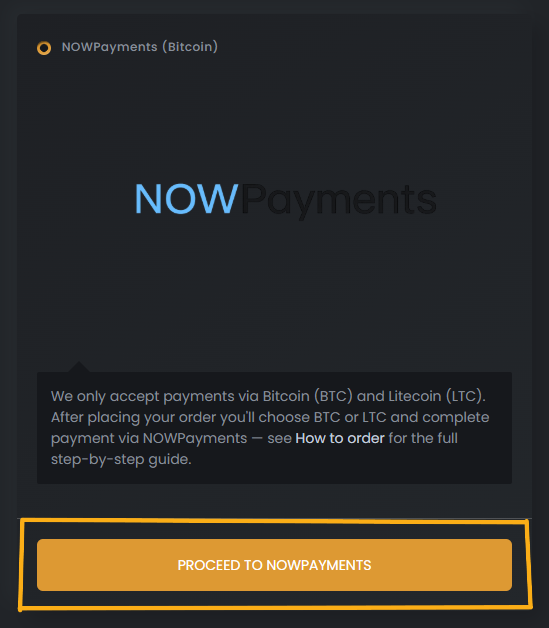
Step 4.
On the NOWPayments screen press Pay with, then choose Bitcoin or Litecoin.
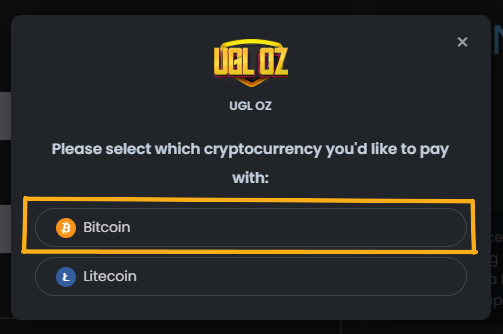
Step 5.
Switch to the Copy tab in the payment dialog — that is the view with the raw details rather than a QR code.
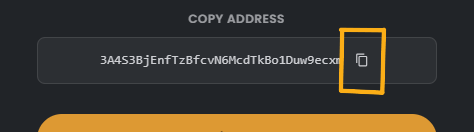
Step 6.
Note down both the Wallet address and the exact Amount. Sending a different figure stops the invoice settling cleanly.
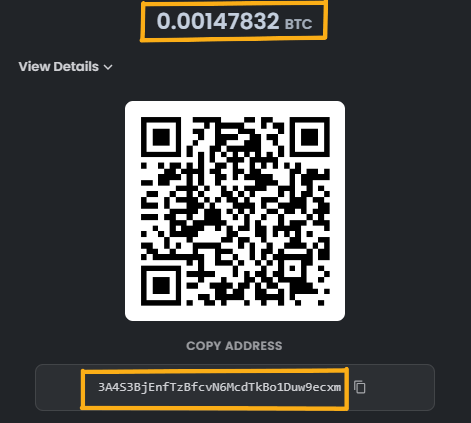
Step 7.
Open Exodus or Banxa and buy the amount shown at checkout — a debit card works fine for this.
Send that amount to the wallet address you copied. Once the network confirms it, a confirmation email arrives to say the order is with us. If the invoice expires before you send, nothing is lost — just place the order again.